Topaz Labs is excited to announce the release of Texture Effects 2, with a new image processing engine that uses extensive GPU, 90 new textures, over 400 effects, new workflow features, and an improved user interface, Texture Effects 2 is better than ever. And if that isn't enough to excite every creative bone in your body, you can get $10 off Texture Effects 2 with special promo code TFX2 until October 30, 2016.
Enter our exclusive discount coupon code PHOTOSHOPSUPPORT during the checkout process at Topaz Labs for an instant 15% discount on any Topaz product, including bundles and upgrades.
Topaz Labs Photoshop plug-ins are specifically designed to expand a photographer's creative toolbox by harnessing powerful image technology developments. Photographers everywhere are now taking advantage of the creative exposure effects, artistic simplification, unique edge manipulation, and top-of-the-line noise reduction offered in Topaz products. The Topaz Photoshop Plugins Bundle is a super powerful Photoshop plugins package.
Aurora HDR is a joint project by Macphun and Trey Ratcliff,
the world's most renowned HDR photographer. This photo software
brings everything other HDR editors are missing. Use coupon code PS-SUPERSAVE at checkout for an instant 10% discount.
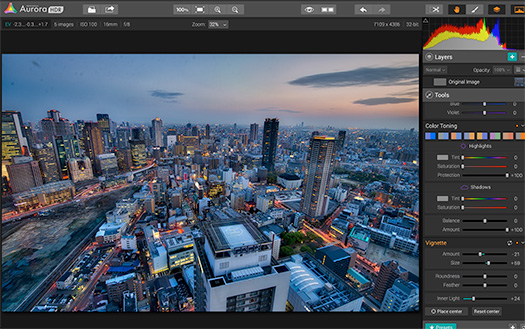
Aurora HDR features easy-to-use, versatile workflow for every style of HDR, and photographer of every skill level. No need for Adobe Photoshop, Lightroom or any other software. It's the first all-in-one HDR photo editor with a native RAW support, powerful adjustments, layers, fantastic HDR photo effects, textures, presets and more.
Easily create the photos you’ve imagined with six powerful plug-ins for Photoshop, Lightroom, or Aperture with the Nik Collection. Use U Point technology to selectively edit just the parts of your photos that need touching up without losing time on complex masks and selections.
Analog Efex Pro Analog Efex Pro
Explore the look and feel of classic cameras, films, and lenses. Get the photo you’re looking for, even if you don’t own the equipment. Let effects inspired by traditional cameras bring you back to the vintage age of photo development. Choose from 10 different Tool Combinations to easily apply their effects, or use the Camera Kit to mix and match your favorite analog features.
Color Efex Pro Color Efex Pro A comprehensive set of filters for color correction, retouching, and creative effects. Find a look that inspires you, then take it further. Visual presets give you a wide range of options to use as starting points for your photographic exploration.
Silver Efex Pro Silver Efex Pro
Master the art of black-and-white photography with darkroom-inspired controls. Advancements in black and white controls help you achieve great results quickly. Take advantage of tools like Dynamic Brightness, Soft Contrast, Amplify Whites, Amplify Blacks, and the advanced Grain Engine.
Viveza
Selectively adjust the color and tonality of your images without complicated masks or selections.
HDR Efex Pro HDR Efex Pro From natural to artistic, explore the full potential of HDR photography. Powerful controls help you create exceptional natural and artistic HDR photos as HDR Efex Pro gives you a wide range of options for any image.
Sharpener Pro Sharpener Pro
Bring out hidden details consistently with the professional's choice for image sharpening. Enhance subtle details and textures to create images in a distinctive style. The Structure, Local Contrast, and Focus tools give you a variety of creative sharpening options.
Dfine Dfine
Improve your images with noise reduction tailored to your camera. Dfine lets you adjust contrast and reduce color noise separately, making it easy to control the type and amount of noise reduction applied to your photo.
Download the latest Nik Collection for free now: Analog Efex Pro, Color Efex Pro, Silver Efex Pro, Viveza, HDR Efex Pro, Sharpener Pro and Dfine.
Here's a great deal from Adobe that will last until only the end of November — Get 10 Free Adobe Stock Images. Offer ends November 30th.
Your first month will be refunded when you sign up for one year of Adobe Stock (10 images a month plan) at US$29.99/mo. (plus applicable taxes) Cancel risk free within the first month.
World-class images right inside Photoshop and other Creative Cloud Apps Find the perfect photo or graphic to jump-start your next project and make it amazing. Purchase, access and manage your images directly from Photoshop CC, Illustrator CC, InDesign CC and other Adobe CC desktop apps.
It's that time of year again! From November 25th through November 30th, Topaz isoffering 50% off of the full Topaz Photography Collection. Whether you want to achieve stunning photo enhancements or apply artistic effects, this unique collection has you covered. With the recent addition of Topaz Texture Effects, the Photography Collection now includes 17 products for only $499.99. Use coupon code BLACKFRIDAY2015.
With the 50% discount, new users can purchase the entire collection for ONLY $249.99! The savings aren’t just for new collection purchases either. Owners of the older Topaz Collections can take advantage of the savings as well! They will just need to log in to their accounts to see their unique Collection upgrade price, then apply the code for 50% additional savings!
With Adobe Creative Cloud, a simple monthly membership gives you the entire collection of CS6 tools and more. Love print? Interested in websites and iPad apps? Ready to edit video? You can do it all.
Creative Cloud members also automatically get access to new products and exclusive updates as soon as they’re released. Creative Cloud is available for individuals or teams. Download
a 30-day free trial of the Creative Cloud, including the full Master Collection.
PhotoshopSupport.com and Adobe invite you to become a Creative Cloud Photography plan member today and save up to 20% on your first year! You'll pay just US$7.99 every month for the first year for a Creative Cloud Photography plan membership which includes access to Photoshop CC and Lightroom.
Capture the moment. Then make it momentous with the Adobe Creative Cloud Photography plan. The world’s leading photography tools use Adobe Photoshop technology to help you craft incredible images every day, everywhere — whether you’re a beginner or a pro. It’s everything you need. All in one place.
Your photos don’t always capture the scene the way you remember it. But with the Creative Cloud Photography plan, you have everything you need to bring out the best in your photos, from everyday edits to total transformations. Perfect your images using Photoshop and Lightroom on your computer, the web or any mobile device. Cut out and combine photos on your iPad with Photoshop Mix, and retouch and restore photos on your iPad or iPhone with new Photoshop Fix. And with tutorials for every skill level, you’ll learn new tricks — fast.
From the Adobe Blog: Today’s announcement is so broad that some product updates are immediately available while others are still undergoing finishing touches from our engineers and will ship in the coming weeks. As always, all the updates are available to Creative Cloud members according to your plan. Here’s what’s available today:
Photoshop Fix 1.0 – NEW! We are thrilled today to introduce and make immediately available Photoshop Fix, a new mobile app built to make non-destructive image retouching easier than ever before. With Fix, we started with the state-of-the-art retouching technology from Photoshop and Lightroom, added some new secret sauce and packaged it all up in a mobile workflow specifically designed to make retouching fast and easy while on the go, while still producing Photoshop-quality results. Find out more here.
Fix includes Liquify to reshape any area of an image; Healing Brush to remove image imperfections such as scratches and blemishes; Smooth to easily smooth or sharpen areas of a landscape or parts of skin; unmatched face detection that recognizes when a specific section of the face is selected and enables detailed refinements; and much more. Fix even delivers amazing performance on images from high-end DSLRs (depending on your hardware capabilities). Try it out. I promise you won’t have seen this kind of performance on a mobile device before.
Fix is deeply connected to Lightroom and Photoshop through CreativeSync. You can edit your Lightroom images directly in Photoshop Fix and save them back to your Lightroom catalog without ever leaving Fix. Use Photoshop to open a retouched image you created in Fix and get the full, layered PSD file showing all the adjustments and masks from your Fix edits.
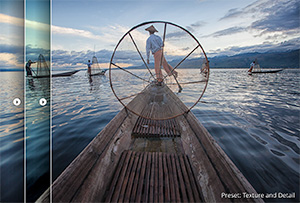
Lightroom CC 2015 Today’s release covers the full Lightroom ecosystem across desktop, web, and mobile. Now your photography goes where you go even more seamlessly. Organize, edit, and share your photos from anywhere—on your computer, on the web, on your iPad, and on your iPhone or Android devices. Learn more here.
Photoshop CC 2015 More information about Photoshop CC here Today, we are announcing a major update to the desktop version of Photoshop. One new web-based component of Photoshop will ship today, which I will describe below. The primary Photoshop desktop application will ship in the coming weeks when we release all our other desktop apps like InDesign CC, Illustrator CC, Premier Pro CC, etc. and I will write a detailed blog post about Photoshop on that date. To whet your appetite, here is just some of what we are adding:
Even more enhancements for designers – continuing to build out this major area of focus for you. We are adding a completely streamlined and tuned Design Space mode targeted for web and UI designers; new Artboard capabilities; the ability to directly import SVG files that you can rescale in your designs; and Creative Cloud Libraries improvements that speed up your asset access and management workflows.
The ability to easily work with 3D figures and incorporate them into your images and designs directly in Photoshop. Import, pose, and animate characters created in the new Adobe Fuse CC (Preview), and then adjust camera angles, lighting, and position to get precisely the look you want in Photoshop. Just imagine all the possibilities and the flexibility you gain when you can pose, re-pose, change the lighting of people in images in ways that are very challenging in 2D. More information about Photoshop CC here.
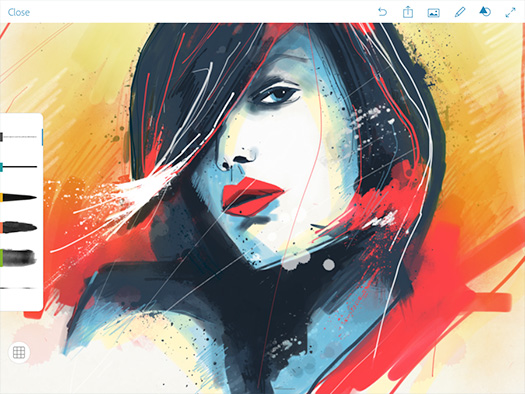
Photoshop Sketch 3.0 We’re happy to release Photoshop Sketch 3.0 today. This update brings a host of new painting and drawing features to help you create even more realistic artwork.
Photoshop Sketch is an expressive sketching and painting app for your iPad. It includes 14 built-in tools including pencils, markers, a pen, brand-new watercolor brushes and the ability to use images for a collage or reference. We have added new watercolor brushes that blend and simulate water just like traditional watercolor. Last week I watched a portrait artist paint with the new watercolor brushes in Sketch. The realistic performance of the paint is truly beautiful.
You can also create your own realistic brushes for use in Sketch from images using the newly announced and released Adobe Capture CC. We’ve redesigned the Sketch interface so you can draw with your toolbar on the left or right hand side as well as customize the toolbar to contain just the tools you like. Finally, we’ve added new built-in stamping and tracing shapes and new perspective and graph grids to help you sketch more realistically. And you can integrate your art into other designs by sending it via CreativeSync to Illustrator where it can be scaled up losslessly to 4x. Or you can send it to Photoshop as a layered PSD file. Find out more here.
Photoshop Mix 2.0 Today we have released Photoshop Mix 2.0. This is a major update to Mix with many new features and improvements throughout the app, including a completely new architecture that leverages Apple’s Metal framework.
Photoshop Mix is a compositing app built using Photoshop technology that delivers a deep, focused, non-destructive editing experience on a mobile device. It enables you to do real work while away from your desktop. Through CreativeSync, Mix also connects to many of Adobe’s other mobile apps like Fix for retouching workflows and Lightroom for image enhancements, so you can easily produce multifaceted projects in a completely mobile environment. Plus, if you want to take your projects even further, you can quickly move your layered and masked compositions to Photoshop CC, and benefit from all its goodness. And now, there’s even non-destructive smart filter support in Photoshop CC for Mix looks.
With Adobe Creative Cloud, a simple monthly membership gives you the entire collection of CS6 tools and more. Love print? Interested in websites and iPad apps? Ready to edit video? You can do it all.
Creative Cloud members also automatically get access to new products and exclusive updates as soon as they’re released. Creative Cloud is available for individuals or teams. Download
a 30-day free trial of the Creative Cloud, including the full Master Collection.
You’ve likely heard the term “Smart Objects” when talking about non-destructive editing, but what exactly are they, and how do they differ from traditional layers? Find out in this free video tutotial.
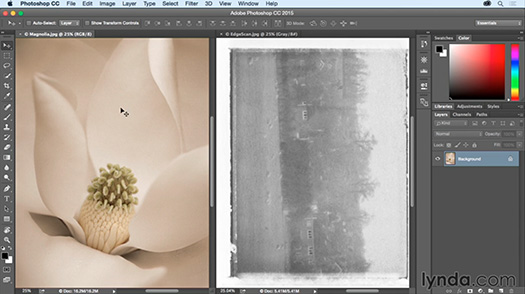
Photoshop makes it really easy to take a sequence of images and make a video, creating what is typically known as a time-lapse video. Check it out in this free tutorial — Creating a time-lapse video in Photoshop, from lynda.com
With Adobe Creative Cloud, a simple monthly membership gives you the entire collection of CS6 tools and more. Love print? Interested in websites and iPad apps? Ready to edit video? You can do it all.
Creative Cloud members also automatically get access to new products and exclusive updates as soon as they’re released. Creative Cloud is available for individuals or teams. Download
a 30-day free trial of the Creative Cloud, including the full Master Collection.
With Adobe Creative Cloud, a simple monthly membership gives you the entire collection of CS6 tools and more. Love print? Interested in websites and iPad apps? Ready to edit video? You can do it all.
Creative Cloud members also automatically get access to new products and exclusive updates as soon as they’re released. Creative Cloud is available for individuals or teams. Download
a 30-day free trial of the Creative Cloud, including the full Master Collection.
With Adobe Creative Cloud, a simple monthly membership gives you the entire collection of CS6 tools and more. Love print? Interested in websites and iPad apps? Ready to edit video? You can do it all.
Creative Cloud members also automatically get access to new products and exclusive updates as soon as they’re released. Creative Cloud is available for individuals or teams. Download
a 30-day free trial of the Creative Cloud, including the full Master Collection.
With Adobe Creative Cloud, a simple monthly membership gives you the entire collection of CS6 tools and more. Love print? Interested in websites and iPad apps? Ready to edit video? You can do it all.
Creative Cloud members also automatically get access to new products and exclusive updates as soon as they’re released. Creative Cloud is available for individuals or teams. Download
a 30-day free trial of the Creative Cloud, including the full Master Collection.
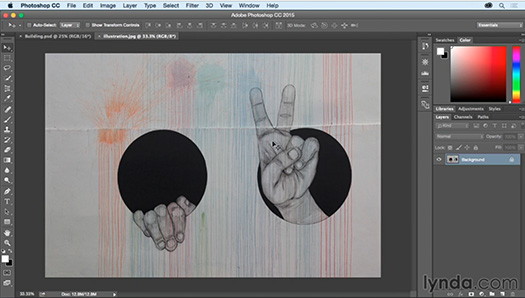
Using Vanishing Point is an excellent way to paste one photograph into another one, and have it appear as if it is at the same perspective, of that second image. So I'm going to start here with the illustration, I'll choose Select All, and then I'm going to copy this to the clipboard by selecting Edit, Copy. Then I no longer need this file open, so we can close it, and we'll start working with the Building.psd. I need to create a new blank layer, so that I can keep this edit flexible, So on the layers panel, I'll click on the new layer icon, and we'll double-click to rename this Illustration. WATCH THE FULL VIDEO, Using Vanishing Point to paste in perspective.
We’ve got news for you! On Tuesday, August 25th Topaz will be releasing ReMask 5, an updated version of their masking software, complete with new features.
ReMask is designed on one simple idea: To create the best quality mask with minimal input. By using ReMask’s simple 3-color tri-map technology, users have the power to quickly and easily extract even the toughest elements — hair, foliage, and transparent materials — in their photos. The new updates to ReMask 5 make it the most powerful masking software on the market. The two biggest additions are standalone capabilities and background replacement tools.
ReMask 5 works as a standalone program now, in addition to being a plugin. This means no host program is required and Lightroom integration is available. ReMask 5 also allows you to replace and edit the background of your masked image without leaving the program. Choose from transparent, solid color, or image backgrounds.
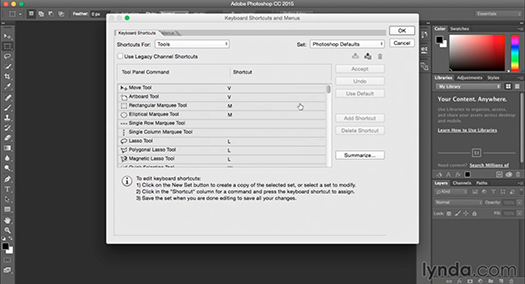
Learn how to customize your keyboard shortcuts in this free video (Customizing Keyboard Shortcuts), from Lynda.com. From the series, Photoshop CC Essential Training (2015) with Julieanne Kost.
With Adobe Creative Cloud, a simple monthly membership gives you the entire collection of CS6 tools and more. Love print? Interested in websites and iPad apps? Ready to edit video? You can do it all.
Creative Cloud members also automatically get access to new products and exclusive updates as soon as they’re released. Creative Cloud is available for individuals or teams. Download
a 30-day free trial of the Creative Cloud, including the full Master Collection.
With Adobe Creative Cloud, a simple monthly membership gives you the entire collection of CS6 tools and more. Love print? Interested in websites and iPad apps? Ready to edit video? You can do it all.
Creative Cloud members also automatically get access to new products and exclusive updates as soon as they’re released. Creative Cloud is available for individuals or teams. Download
a 30-day free trial of the Creative Cloud, including the full Master Collection.
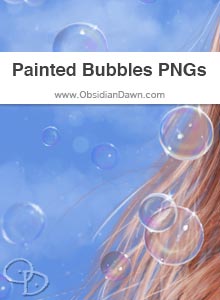
You can download a free set of painted bubbles from Obsidian Dawn. There are some single bubbles, some groupings, and some blurred as if in the background and out of focus. They are all on a transparent background, and ready to copy/paste into your own designs! These bubbles are painted by hand in Photoshop).
With Adobe Creative Cloud, a simple monthly membership gives you the entire collection of CS6 tools and more. Love print? Interested in websites and iPad apps? Ready to edit video? You can do it all.
Creative Cloud members also automatically get access to new products and exclusive updates as soon as they’re released. Creative Cloud is available for individuals or teams. Download
a 30-day free trial of the Creative Cloud, including the full Master Collection.
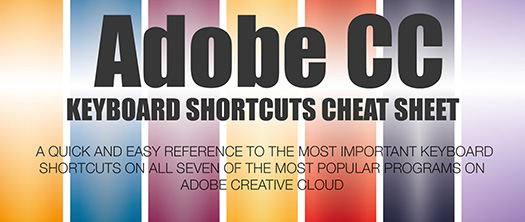
From Jamie Spencer (free keyboard shortcuts inforgraphic): As you well know designers can work hours into the night to produce their best work for clients, their portfolio or their side projects. To make the process easier, most would use keyboard shortcuts on their regular design and development tools particularly Adobe Photoshop, Illustrator, InDesign and Fireworks, to expediate the process. You can be sure that they are not going to go back to the traditional (and slower) click-and-search methods.
That is why you can find tons of cheat sheets on the Web, designed to help designers and developers make better use of their time – in producing creations not looking through the rows and rows of commands for the right action. In light of this, I thought that it would be nice to round up these shortcuts and release them as one big infographic.
With Adobe Creative Cloud, a simple monthly membership gives you the entire collection of CS6 tools and more. Love print? Interested in websites and iPad apps? Ready to edit video? You can do it all.
Creative Cloud members also automatically get access to new products and exclusive updates as soon as they’re released. Creative Cloud is available for individuals or teams. Download
a 30-day free trial of the Creative Cloud, including the full Master Collection.
One of the most popular training video sites at the moment is KillerVideoStore and they have an exclsuive deal for PhotoshopSupport visitors — a 25% off coupon code PSD1. Use the links below to see some sample videos and use the coupon code for the discount.
Responsive Web Design Package
A hands-on tutorial package on building a web site with Responsive Design the adapt to mobile devices. Don't let Google leave your sites behind. The course is aimed at those who are comfortable with HTML and CSS and want to learn more about building websites that adapt to different browser widths and across different devices like smartphones and tablets. Learn the techniques needed to convert your fixed width design to something that will look good no matter the device the user uses to view your website.
Do you want to become a professional Adobe web designer? Over 27 hours of training that easily guide you from total beginner to becoming productive using Dreamweaver and Photoshop for web design. In fact, you will learn techniques and technology that will give you a clear advantage over the average web designer. This will mean, more jobs/contracts and higher pay.
With Adobe Creative Cloud, a simple monthly membership gives you the entire collection of CS6 tools and more. Love print? Interested in websites and iPad apps? Ready to edit video? You can do it all.
Creative Cloud members also automatically get access to new products and exclusive updates as soon as they’re released. Creative Cloud is available for individuals or teams. Download
a 30-day free trial of the Creative Cloud, including the full Master Collection.
Topaz is currently running a promotion on their plugin Topaz B+W Effects. The discount is for $20 off, reducing the price to $39.99 for the month of March. The coupon code is MARBW.
Topaz B+W Effects allows for stunning black and white conversion and contains unique features like authentic grain and darkroom inspired effects.
Have you ever converted a color image into black and white and been surprised at how flat it looks? Never worry about that again with B&W Effects. Use new technology to always get great results.
Topaz B+W Effects is designed to be an end-to-end workflow for black and white photography. Use the latest B&W conversion technology to create truly stunning and unique images.
"Topaz B+W Effects is hands down my favorite plug-in and I use it daily. It's easy and intuitive, which allows me to tap into my creative juices and make the images I imagined in the field."
- John Barclay, John Barclay Photography
Tonal contrast Tonal contrast, a core feature of our B&W conversion engine, is literally everything in a monochrome image. Get darker blacks and whiter whites.
Authentic grain Give your photos that authentic look and feel. Choose from a wide variety of popular film grain styles that were physically scanned from real film.
Great effects Add creative finishing touches to your photos, including artistic styles, vignettes, and borders. Never end up with a boring photo.
With Adobe Creative Cloud, a simple monthly membership gives you the entire collection of CS6 tools and more. Love print? Interested in websites and iPad apps? Ready to edit video? You can do it all.
Creative Cloud members also automatically get access to new products and exclusive updates as soon as they’re released. Creative Cloud is available for individuals or teams. Download
a 30-day free trial of the Creative Cloud, including the full Master Collection.
[Recorded: February 19, 2015] Adobe Photoshop is one of the most successful pieces of software ever written. Now used by millions of graphics and photographic professionals worldwide, Photoshop has come to shape the entire visual environment of 21-century culture.
How did this remarkable tool come to be and what has been its influence on our lives and larger culture? Hear the answers from four key people who made Photoshop what it is today: Russell Brown – Original Photoshop evangelist Steve Guttman - Original Photoshop product manager Thomas Knoll – Photoshop co-creator John Knoll - Photoshop co-creator
With Adobe Creative Cloud, a simple monthly membership gives you the entire collection of CS6 tools and more. Love print? Interested in websites and iPad apps? Ready to edit video? You can do it all.
Creative Cloud members also automatically get access to new products and exclusive updates as soon as they’re released. Creative Cloud is available for individuals or teams. Download
a 30-day free trial of the Creative Cloud, including the full Master Collection.
In this episode of the Complete Picture (Working with Photoshop’s History Panel, Snapshots and the History Brush), Julieanne Kost reveals there is far more to the History panel than simply un-doing mistakes. Learn as she reveals little known shortcuts for working with the History Panel, including how to fill with the History Brush, as well as a fluid method for painting between snapshots with no layer or masking knowledge required!
With Adobe Creative Cloud, a simple monthly membership gives you the entire collection of CS6 tools and more. Love print? Interested in websites and iPad apps? Ready to edit video? You can do it all.
Creative Cloud members also automatically get access to new products and exclusive updates as soon as they’re released. Creative Cloud is available for individuals or teams. Download
a 30-day free trial of the Creative Cloud, including the full Master Collection.
ReStyle is a plugin designed to alter the colors in your image with its unique array of toning effects. The technology behind ReStyle uses a cutting-edge process to map the color and tone statistics from a source image.
With this, creative possibilities extend to many inspiring choices. Restyle is a useful tool for the photographer or artist looking to alter the overall feeling and mood of his or her image. The program can even be used to revamp the tone of graphics and textures.
With Adobe Creative Cloud, a simple monthly membership gives you the entire collection of CS6 tools and more. Love print? Interested in websites and iPad apps? Ready to edit video? You can do it all.
Creative Cloud members also automatically get access to new products and exclusive updates as soon as they’re released. Creative Cloud is available for individuals or teams. Download
a 30-day free trial of the Creative Cloud, including the full Master Collection.
Free Photoshop brushes from Obsidian Dawn — various eyebrows. Mostly female, but with a few male eyebrows in there, as well. Most of these are from the front angle, but see the tip at the site for how to apply them to various angles of faces, as well as how to add emotions to them.
With Adobe Creative Cloud, a simple monthly membership gives you the entire collection of CS6 tools and more. Love print? Interested in websites and iPad apps? Ready to edit video? You can do it all.
Creative Cloud members also automatically get access to new products and exclusive updates as soon as they’re released. Creative Cloud is available for individuals or teams. Download
a 30-day free trial of the Creative Cloud, including the full Master Collection.
Topaz Glow is a technology that Topaz has been working on for a while. They have received many requests from Mac users who want to use Redfield’s Fractalius plugin (only Windows-compatible). There have also been requests for them to expand upon Topaz Clean’s “curly” effects. Since Clean's technology is very different than the technology needed to create fractal images, they decided to start developing Glow. You can get Glow for $49.99 at the Topaz site during a brief intro pricing deal.
This technology further broadens the scope of possibilities and solves the need for Mac users. Topaz has crafted many beautiful and interesting effects such as:
• Neon looks • Fractal effects
• Line designs
• Subtle glow effects
While it’s more of a niche product when used at full strength, applying the effects lightly can add some beautiful softness and light to your image.
Take your art beyond photorealism. Whether you're shooting people, landscapes, wildlife, or something else, Topaz Glow will make your images come to life with a powerful sense of movement and flow.
"I have been waiting for software like Glow for a long time. The possibilities are limitless, from subtle background enhancements to an electrifying 'wow' look with fractal and neon effects."
CINDY CONE, NATURE PHOTOGRAPHER Creative Cloud Limited Time Offers
- Exclusive For CS Customers November 25, 2014
Creative Suite 3, 4, 5 or 6 are eligible for special introductory pricing of $29.99 for the first year. The 2014 release of Creative Cloud includes all-new versions of your favorite desktop apps — including Photoshop, Illustrator, and Premiere Pro — with hundreds of new features and performance improvements. Do your best work more efficiently using the latest innovations and modern standards.
Mobile apps. Take an idea and run with it. New mobile apps extend the power of Photoshop, Lightroom, Illustrator, and Premiere Pro to your devices. Go out and capture inspiration. Sketch and draw. Edit photos and make videos. Then come back and refine your work on the desktop with an unmatched set of creative tools.
Your creative world. It's everywhere you are. With your Creative Profile, all of your assets are at your fingertips. Now you can access your brushes, graphics, text styles, and more across your desktop and mobile apps, so you can work wherever work takes you.
This free video tutorial from Obsidian Dawn will help explain how to use Photoshop’s various brush options to change the angle, shape, spacing, scattering, angle, etc of how brushes are applied. There’s also some examples of how they can be used to create patterns, paint hair, paint stitching, etc.
With Adobe Creative Cloud, a simple monthly membership gives you the entire collection of CS6 tools and more. Love print? Interested in websites and iPad apps? Ready to edit video? You can do it all.
Creative Cloud members also automatically get access to new products and exclusive updates as soon as they’re released. Creative Cloud is available for individuals or teams. Download
a 30-day free trial of the Creative Cloud, including the full Master Collection.
Enter our exclusive discount coupon code PHOTOSHOPSUPPORT during the checkout process at Topaz Labs for an instant 15% discount on any Topaz product, including bundle deals and upgrades.
Topaz Labs Photoshop plug-ins are specifically designed to expand a photographer's creative toolbox by harnessing powerful image technology developments.
Photographers everywhere are now taking advantage of the creative exposure effects, artistic simplification, unique edge manipulation, and top-of-the-line noise reduction offered in Topaz products. The Topaz Photoshop Bundle includes the following Topaz plugins:
Topaz Adjust optimizes image exposure, color, and detail strength for stunning image results.
Topaz DeNoise offers a complete noise reduction solution that removes far more noise and preserves far more detail than other solutions.
Topaz Detail gives full control over all aspects of detail manipulation and micro-contrast adjustment without creating any edge artifacts or halos.
Topaz Simplify provides creative simplification, art effects, and line accentuation for easy one-of-a-kind art.
Topaz Clean integrates unique smoothing capabilities with stylized detail manipulation to add refreshing flair to photos.
Topaz ReMask quickly creates detailed masks and extractions from even the most difficult images.
Topaz DeJPEG drastically improves the quality of web images and other compressed photos.

 Try before you buy. Download any Adobe product for a free 30 day trial.
 The Photoshop Blog offers the latest Photoshop news and software updates, Photoshop tips and tutorials, and random thoughts from graphic artist and Photoshop expert Jennifer Apple.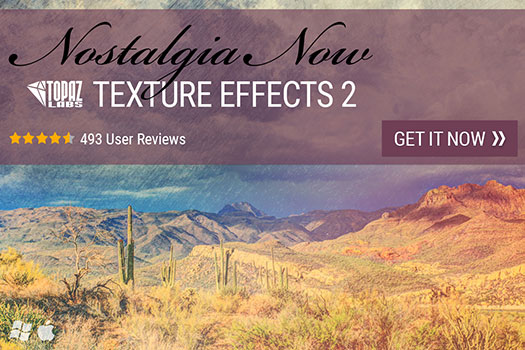

 Thanks to Google, it's happening right now. Starting immediately, the latest Nik Collection will be freely available to download: Analog Efex Pro, Color Efex Pro, Silver Efex Pro, Viveza, HDR Efex Pro, Sharpener Pro and Dfine.
 A comprehensive set of filters for color correction, retouching, and creative effects. Find a look that inspires you, then take it further. Visual presets give you a wide range of options to use as starting points for your photographic exploration.
 From natural to artistic, explore the full potential of HDR photography. Powerful controls help you create exceptional natural and artistic HDR photos as HDR Efex Pro gives you a wide range of options for any image.
 We are excited to tell you about the super Topaz Spring into Summer 2016 sale. From May 3rd through May 22nd, Topaz is offering 40% off of the full Topaz Photography Collection (that's a $200 discount). Whether you want to achieve stunning photo enhancements or apply artistic effects, this unique collection has you covered.
 It's that time of year again! From November 25th through November 30th, Topaz isoffering 50% off of the full Topaz Photography Collection. Whether you want to achieve stunning photo enhancements or apply artistic effects, this unique collection has you covered. With the recent addition of Topaz Texture Effects, the Photography Collection now includes 17 products for only $499.99. Use coupon code BLACKFRIDAY2015.
 Current Creative Suite users - Save 40% off the first year on Adobe Creative Cloud.
Offer available to all registered users of individual products and suites, CS3 or later.
Current Creative Suite users - Save 40% off the first year on Adobe Creative Cloud.
Offer available to all registered users of individual products and suites, CS3 or later.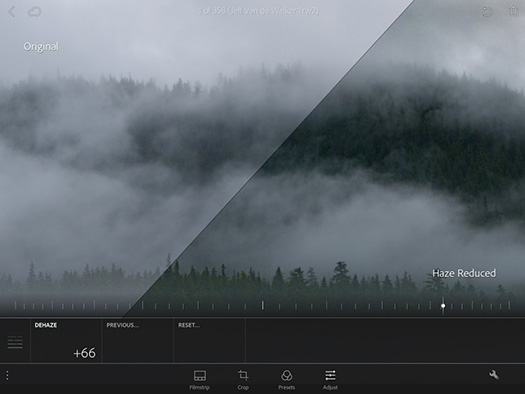




 We’ve got news for you! On Tuesday, August 25th Topaz will be releasing ReMask 5, an updated version of their masking software, complete with new features.

 Topaz is currently running a promotion on their plugin Topaz B+W Effects. The discount is for $20 off, reducing the price to $39.99 for the month of March. The coupon code is MARBW.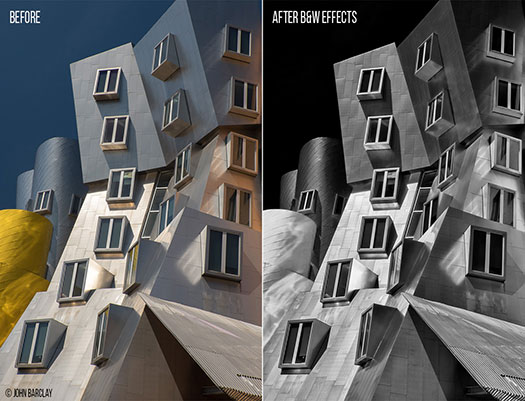
 I’d like to inform you that from February 10th-28th, Topaz is running a promotion on Topaz ReStyle for $20 off its original price of $59.99 (reducing the price to $39.99). USe the coupon code for this promotion that you will find at their website.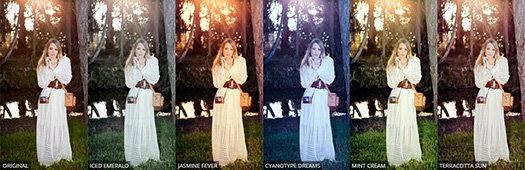
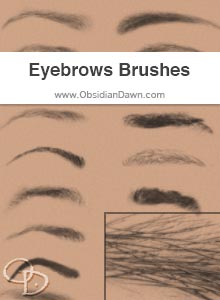 Free Photoshop brushes from Obsidian Dawn — various eyebrows. Mostly female, but with a few male eyebrows in there, as well. Most of these are from the front angle, but see the tip at the site for how to apply them to various angles of faces, as well as how to add emotions to them.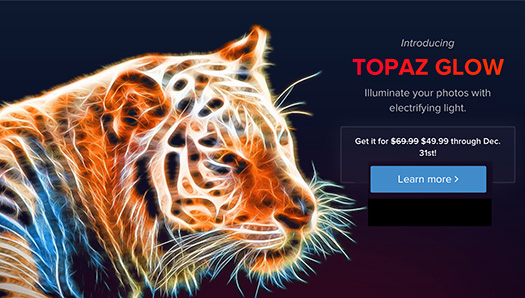
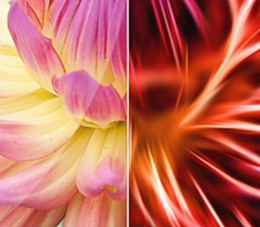 • Fractal effects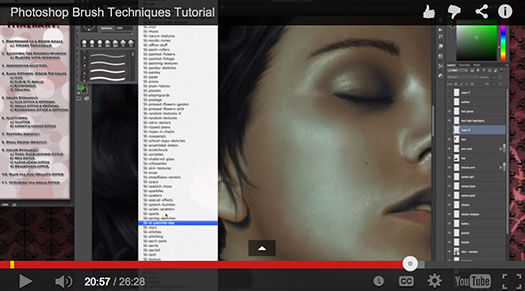
 Enter our exclusive discount coupon code PHOTOSHOPSUPPORT during the checkout process at Topaz Labs for an instant 15% discount on any Topaz product, including bundle deals and upgrades.
 Topaz DeNoise offers a complete noise reduction solution that removes far more noise and preserves far more detail than other solutions.